Blazor Power Tools
The professional component library for Blazor developers
Ship faster with 60+ production-ready components. From form controls and date pickers to AI-powered transcription, GPU-accelerated animations, and real-time server monitoring — everything you need in one package.
Everything you need to build modern Blazor apps
A comprehensive toolkit covering UI, AI, media processing, and developer productivity.
Form & UI Controls
Dropdowns, date/time pickers, sliders, ratings, switches, text inputs, multi-selects, color pickers, checkboxes, file uploads, and more. All with validation, theming, and keyboard navigation.
AI
Speech-to-text with real-time transcription using pluggable backends — Whisper (local), Azure Speech Services, or OpenAI. Add voice input to forms or build full transcription workflows.
Images & Animation
GPU-accelerated animation effects via WebGL, image analysis with edge detection, carousels with GIF export, and ONNX-based object detection — all running directly in the browser.
Developer Tools
Render diagnostics for Blazor components and DOM elements, plus live browser-window tracking — the instrumentation you reach for while building and debugging.
Applications
Whole applications you embed with one tag — an image & banner editor, a landing-page builder, an in-browser terminal, real-time server monitoring, an app-framework shell, and a chart palette generator.
Charts
2D Canvas and WebGL chart family — bar, line, pie/donut, scatter, bubble, radar/polar, funnel, treemap, histogram, box-and-whisker, bullet, date-axis, and trendline. Drag-to-rotate 3D, templated tooltips, timeline playback, and a built-in palette generator.
Built for serious work, not just demos
Professional-grade tools that run entirely in the browser. No plugins, no desktop apps, no compromises.
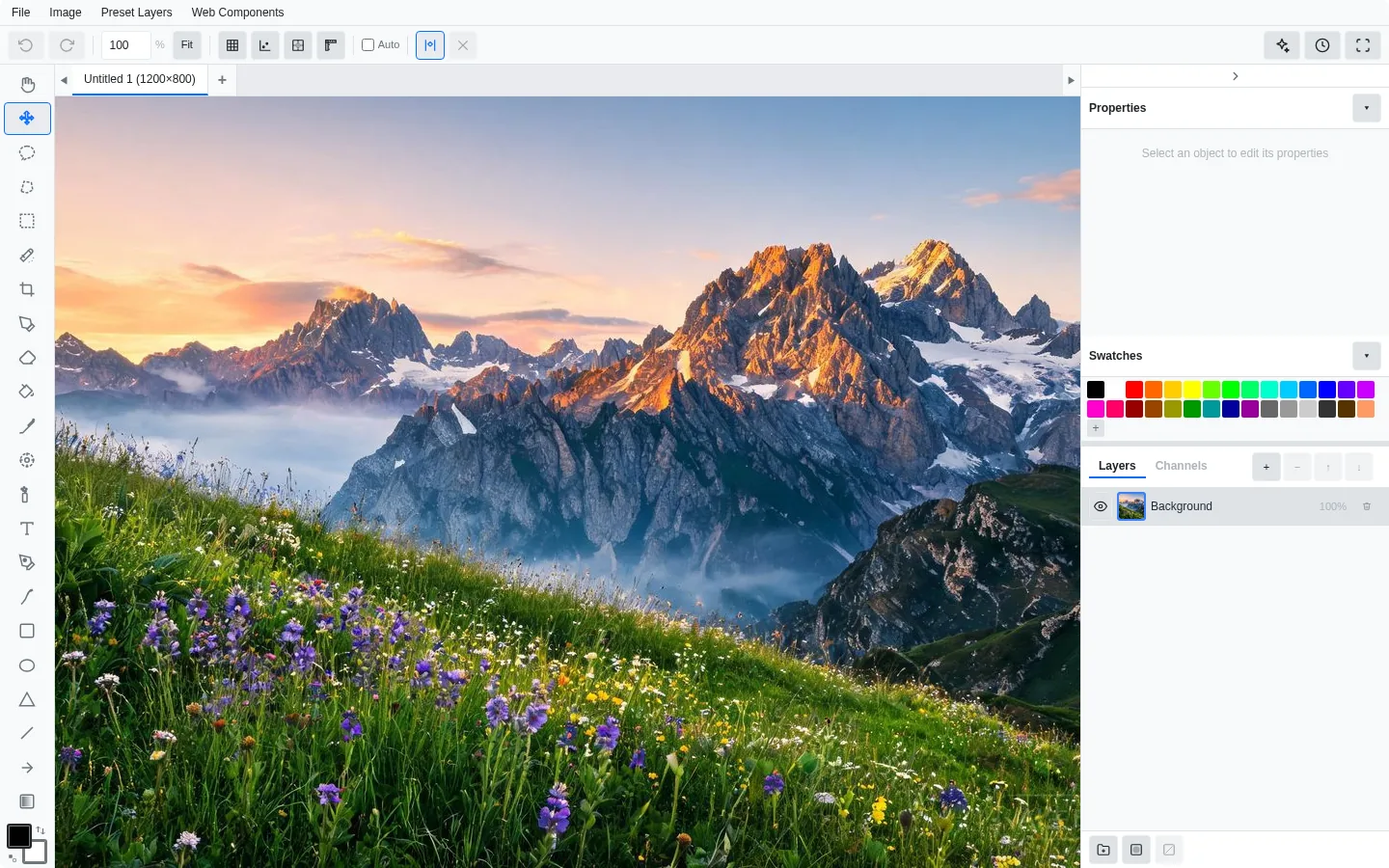
A desktop-class image editor inside your Blazor app
Full layer support, 23 drawing tools, blend modes, adjustments, and export to PNG, JPEG, WebP, or SVG. Switch to Banner Editor mode to design multi-format ad creatives from a single canvas.
- Multi-layer with blend modes
- Curves, levels, color balance
- Clone stamp & spray tools
- Edge detection & analysis
- 4 built-in themes
- Save/load native .ISAI format
- Banner template presets
- Crop, skew, smart filters
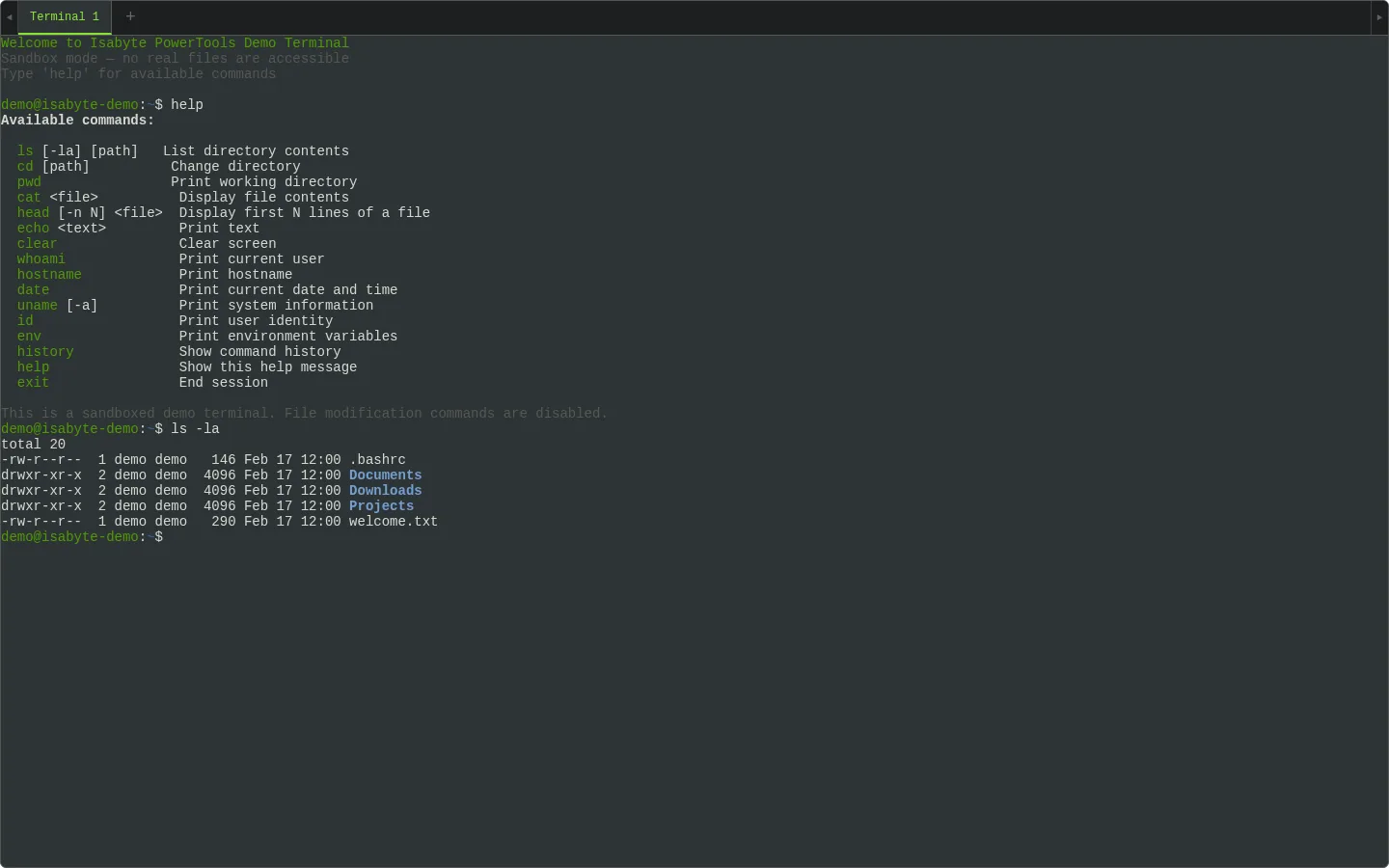
SSH access directly from the browser
A full terminal emulator with multi-tab sessions, real shell access via PTY allocation, and 9 themes from modern dark to retro Commodore 64. Embed admin consoles, build deployment dashboards, or give developers a browser-based dev environment.
- Real PTY shell access
- Multi-tab sessions
- 9 themes (modern + retro)
- Sandbox mode for demos
- Docked, floating, collapsed
- Auto-reconnect
- Full ANSI color support
- Cross-platform shells
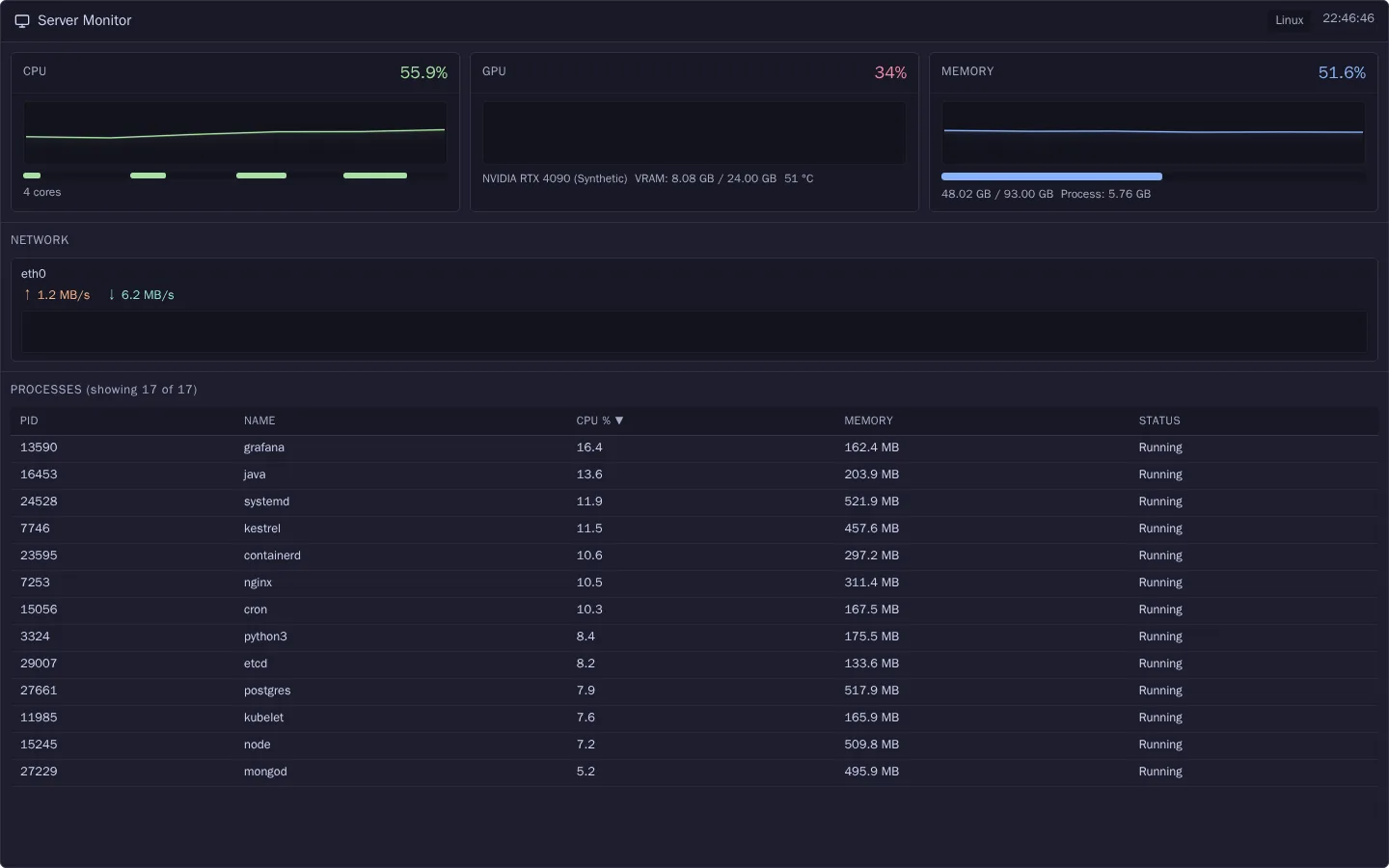
Real-time server metrics in your dashboard
Drop a live monitoring widget into any Blazor page. WebGL-rendered charts stream CPU, GPU, memory, and network data over SignalR — including per-core breakdowns and top processes. Monitor local or remote servers from a single dashboard.
- CPU, GPU, memory, network
- Per-core breakdown
- WebGL line charts
- Live process list
- Multi-server support
- Real-time log streaming
- 6 themes (incl. NVIDIA, ROG)
- Sandbox mode for demos
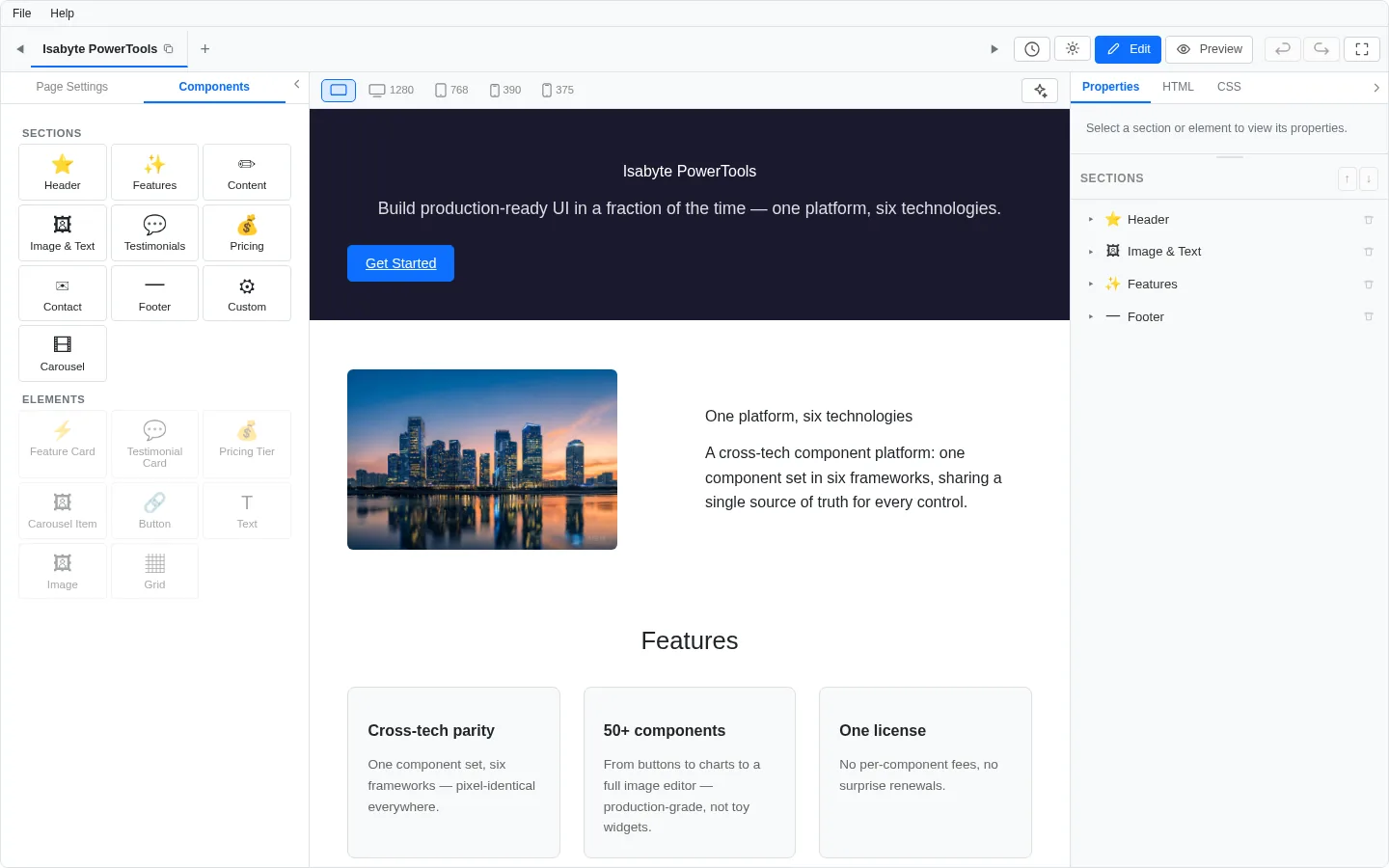
A complete landing-page builder embedded in your app
Drag-and-drop visual editor with multi-page projects, live HTML/CSS/JS tabs, inline editing, and a portable native —.isal— save format. Export to clean standalone HTML with content-isolated themes, built-in GDPR consent flows, and full localisation.
- Multi-page drag & drop editor
- Live HTML / CSS / JS tabs
- Standalone HTML export
- Nested GDPR consent handling
- Template gallery + theming
- Undo/redo + version history
- Responsive desktop/tablet/mobile preview
- .isal save/load + i18n built-in
The system architect's Power Tools guide to AI development
The template wizard asks the questions a system architect asks and composes a runnable Blazor app from your answers: about 60% done, with the skills and instructions your own AI agent needs to finish it.
Design the whole application
Decide the business domain, backend, storage, login, payments, hosting and delivery. Every answer shapes the code you download.
Start the wizardStart with an Empty app
Fewer questions: the Blazor base with its AI skillset, ready for your agent to build on. Every question has a beginner's guide to professional software design.
Create an Empty appUp and running in minutes
Three steps to your first Blazor Power Tools component.
Install the package
dotnet add package Isabyte.PowerTools.BlazorRegister in Program.cs and wrap your layout
// Program.cs
builder.Services.AddBlazorPowerTools();

// MainLayout.razor (or base layout)
<IsabyteRootComponent>
    @Body
</IsabyteRootComponent>Use components
<IsabyteDateSelector @bind-Value="selectedDate" />
<IsabyteDropdown Items="items" @bind-Value="selected" />
<IsabyteRating @bind-Value="rating" MaxValue="5" />
<IsabyteSwitch @bind-Value="isEnabled" Label="Dark mode" />Resources & Support
Everything you need to be productive with Blazor Power Tools.
Documentation
Component API reference, architecture guides, and integration patterns.
Getting Started
Step-by-step setup: NuGet feed, license key, and your first component.
Theme Building
Design custom themes with the visual builder and CSS custom properties.
Support
Submit tickets, report bugs, and get help from the team.
Varför Blazor Power Tools
- Produktionsklara Blazor-komponenter, släppta i takt med alla Power Tools-ramverk
- Samma komponenter och versioner i alla sex ramverk
- Stöder egna teman
- Stöder den senaste huvudversionen av Blazor
- Enkel licensiering per produkt, för enskilda utvecklare eller team
- MCP-server för AI-assisterad utveckling
- Direkt support från Isabyte-teamet
- Varje uppgradering dokumenterad i versionsinformationen

Blazor Power Tools is crafted and maintained by Isabyte — the software company behind the Power Tools framework.
isabyte.com